
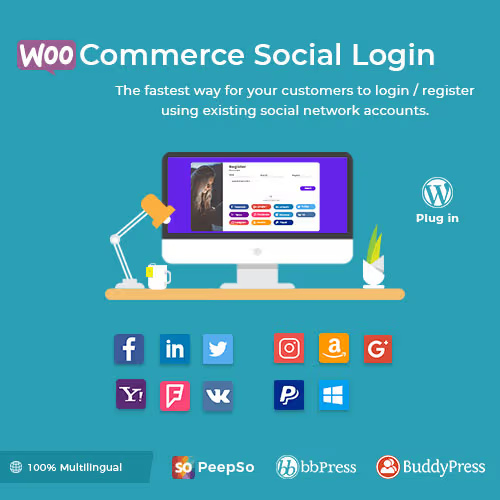
WooCommerce Social Login – WordPress Plugin
WooCommerce Social Login adds social media authentication to your WooCommerce store. Customers can register and log in using Facebook, Google, Twitter, Amazon, and other social accounts for faster checkout.


WooCommerce Social Login – WordPress Plugin
WooCommerce Social Login extension allows users to login and checkout with social networks such as Facebook, Twitter, Google, Yahoo, LinkedIn, Foursquare, Windows Live, VKontakte (VK.com), PayPal, Amazon, LINE, GitHub, WordPress.com and login with Email.
Enable Social Login for Seamless Checkout and Account Creation
If you have a registration system on your e-commerce website, then it take too much time of user to checkout so user get bored of it and thus it will decrease your sale. But, If you use WooCommerce Social Login, then it save user’s time so it will increase your sale.
When a customer first visits your site, you can simplify checkout by allowing them to check out as a guest. However, this introduces friction for customers that want to purchase from your store more than once (and hopefully many of them do!). They’ll have to create yet another username and password. WooCommerce Social Login makes this process as easy and secure as possible – customers can log into your site using their Facebook, Twitter, Google, Yahoo, LinkedIn, Foursquare, Windows Live, VKontakte (VK.com), PayPal, GitHub, WordPress.com and Amazon accounts instead of creating a new user account credentials.
Link Social Accounts to User Accounts
New customer accounts that are created with social login will automatically be linked to the appropriate networks. Existing Socials will also be able to connect their accounts to social networks when logging in or via the “My Account” page.
You can even invite logged in users to link their accounts after checkout for faster purchase in the future. Simply enable Social login buttons on the Thank You page.
Social Login Report Page
Admin can change the order of social networks buttons by drag and drop interface and view number of sign-ups for each social network as shown in the image below.
Generate Pie graph for Social Networks Register Percentage.
Provide Account Management Tools
Customers will always be able to link or unlink social accounts from your site by visiting the “My Account” page:
Make Your Shopping Experience Smoother
Use WooCommerce Social Login to reduce friction when checking out or creating user accounts. Returning customers can log into your site with as little as one click if they’ve linked a social profile. Not only can customers easily log into your site without remembering another set of login credentials, but they’ll be able to breeze through purchasing and checkout with their new account, and you’ll benefit from increased trust and security.
Plugins Compatibility:
For more details click here.
Themes Compatibility:
Answers to Common Questions
Does it work without WooCommerce?
Yes, Now this plugin works standalone & it doesn’t need WooCommerce.. You can independently use this plugin with WooCommerce, BuddyPress, bbPress, or PeepSo.
After login with Twitter, It redirects me on login page to enter email address, why?
Twitter doesn’t provide an email address when the user logs in, so we need to ask user to add email address for the first time so that we can link that email address to their account.
Does Facebook login require https site?
If you are using facebook app version 2.12 or greater then if will require https for your site. For more information please see here
Why aren’t my Woo Social Login buttons displayed? I have them set for XXX pages.
You might have been already logged in to your website  . Try this in a different browser and you’ll see login options.
Can customers still log in or change account information without linking their social accounts or if they delete it later?
Yep! This plugin ties into the existing WordPress user accounts. Your new customers are still created with customer accounts, using their email (Facebook, Amazon, Google) or handle (Twitter). They could reset passwords using their email addresses to log into your site normally.
In the case of users who have created an account with Twitter, We do prompt users to enter an email when logging in with these services.
Does Woo Social Login give the linked social networks access to all of the account information for that user on our website?
No, there’s very little information that’s sent back to the social network during the initial login and after that there’s no information exchanged until the user logs in again. The only data that’s passed back and forth is login information – nothing on orders, site activity, etc. See below for what information is pulled from each network.
What happens to a customer’s account and order history if the plugin is deactivated / deleted?
Once a user logs in with a social network, a WordPress account is created for the user using his/her email address as the username and a random password. If you were to uninstall the plugin, a user can always use the “lost password” feature to create a new password and log into their account normally, rather than with their social network.
Help, my Woo Social Login buttons are not displaying! I promise I’m not logged in already.
This is most likely an issue with your theme (we’ve seen this happen several times already). If your theme overwrites WooCommerce templates, as many do, it may be missing the required action hooks to display the Woo Social Login buttons. It would be best to contact your theme author and prod them to update their templates to be compatible with the latest version of WooCommerce and include any hooks and functions WooCommerce does.
In the mean time, you can add the login buttons to any page using our shortcode: [woo_social_login]
Social Login not working properly with Iphone in Google app. Why?
Social login is a web functionality. It is compatible to work with any browsers like safari OR chrome. The Google app of iPhone is an actual app and not a broswer. So this functionality is not compatible with iPhone’s Google app.
Is Social Login working with Varnish Cache?
Yes, We checked with Varnish following configuration and it is working properly
HTTP/1.1 200 OK
Date: Tue, 04 Dec 2018 11:36:51 GMT
Server: Apache/2.4.34 (Ubuntu)
Vary: Accept-Encoding
Content-Type: text/html; charset=UTF-8
X-Varnish: 32770 3
Age: 15
Via: 1.1 varnish (Varnish/5.2)
Accept-Ranges: bytes
Does Social Login support Instagram?
In October 2019, the Instagram API that we use to support login was deprecated for new users. This means Instagram login is only available to customers who previously set this up in Social Login.
Unfortunately, the new API will not support login. The existing Instagram API will be full deprecated in early 2020. At that point, Instagram login will be completely unavailable to all users, so we have removed it from the plugin.
When login with Facebook, it doesn’t set cover image to Peepso profile. WHY?
In recent Facebook Graph API update V3.0 the cover field that belonged to public_profile is deprecated so, the latest version of the Graph API does not support this feature. Read more in the Facebook Graph API changelog
Click here for more FAQ
Post Views: 722


0 reviews for WooCommerce Social Login – WordPress Plugin
Please log in to view reviews.
Log In